Almanac

For Irish financial advisers

Show your clients the plan you've been telling them about.

Cash-flow planning for Irish advisers: pay, pensions, property and Irish tax, month by month across hundreds of futures, with a printed brief in your firm's name.

30 days free · no account · Windows and Mac

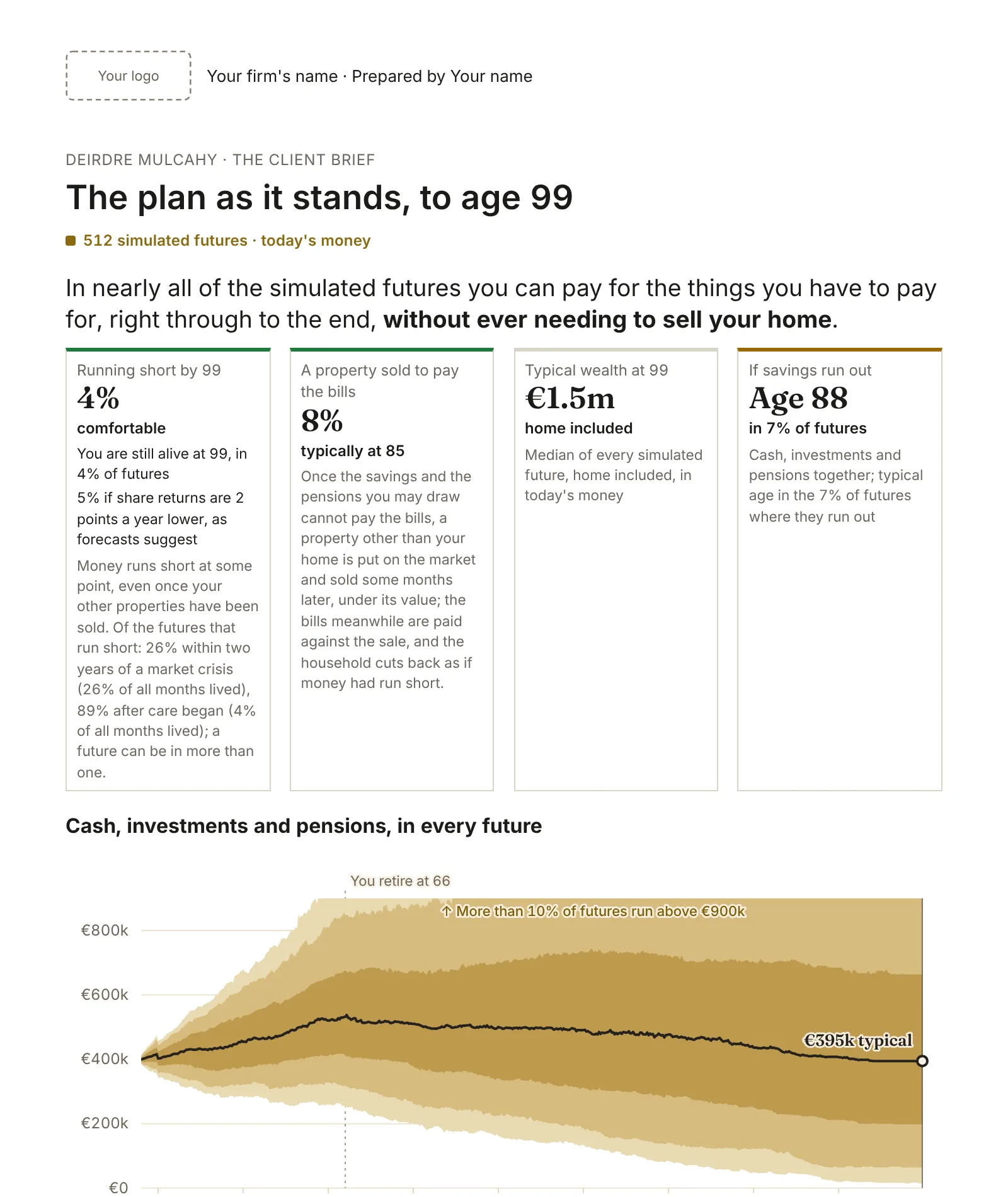
The first page of a client brief: the firm's logo and name at the top, then the plan's answer, four headline figures and the range of what the client could be worth.
512simulated futures behind every plan
Every monthof pay, pensions, property and tax, to the plan's end
Irish taxPAYE, USC, PRSI, CGT, CAT and exit tax, worked from the law
Nothingabout your client leaves your laptop

See everything it models › Tax, pensions, the State, property, couples and markets, area by area.

Built around the review meeting

The fact-find goes in once. The client sees their own plan, tries their own what-ifs with you, and leaves with the brief.

Before the meeting

Enter the client's figures from the fact-find and run the plan.

In the meeting

Try their questions: retire later, pay more in, sell a let, spend less. Every page shows the change.

After it

Hand over the brief in your firm's name, and keep the verification pack on the client's file.

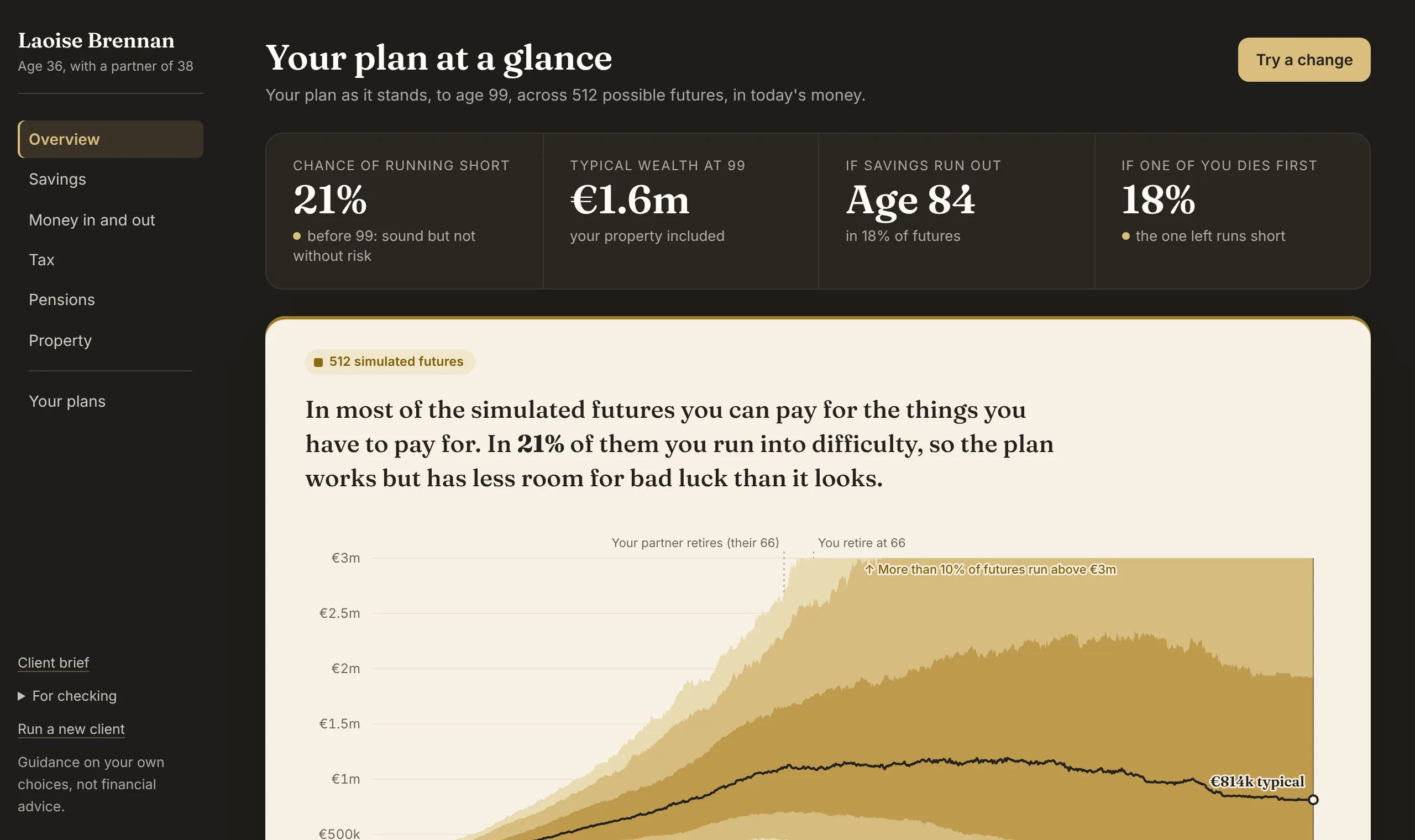
The chance the plan runs short, and what moves it

Across hundreds of simulated futures, how likely the client's money is to last, and which of their own choices move that most.

  • Good markets and bad, inflation, care, and a first death with either partner first
  • Each figure says whether it is across all futures or from one traced life
A couple's plan at a glance: the chance of running short, typical wealth, the age savings run out, and how the one left fares if either dies first, above the range of futures.
A couple's plan at a glance: how likely it is to run short, and how the one left fares if either dies first.

Levers tried in the meeting, in seconds

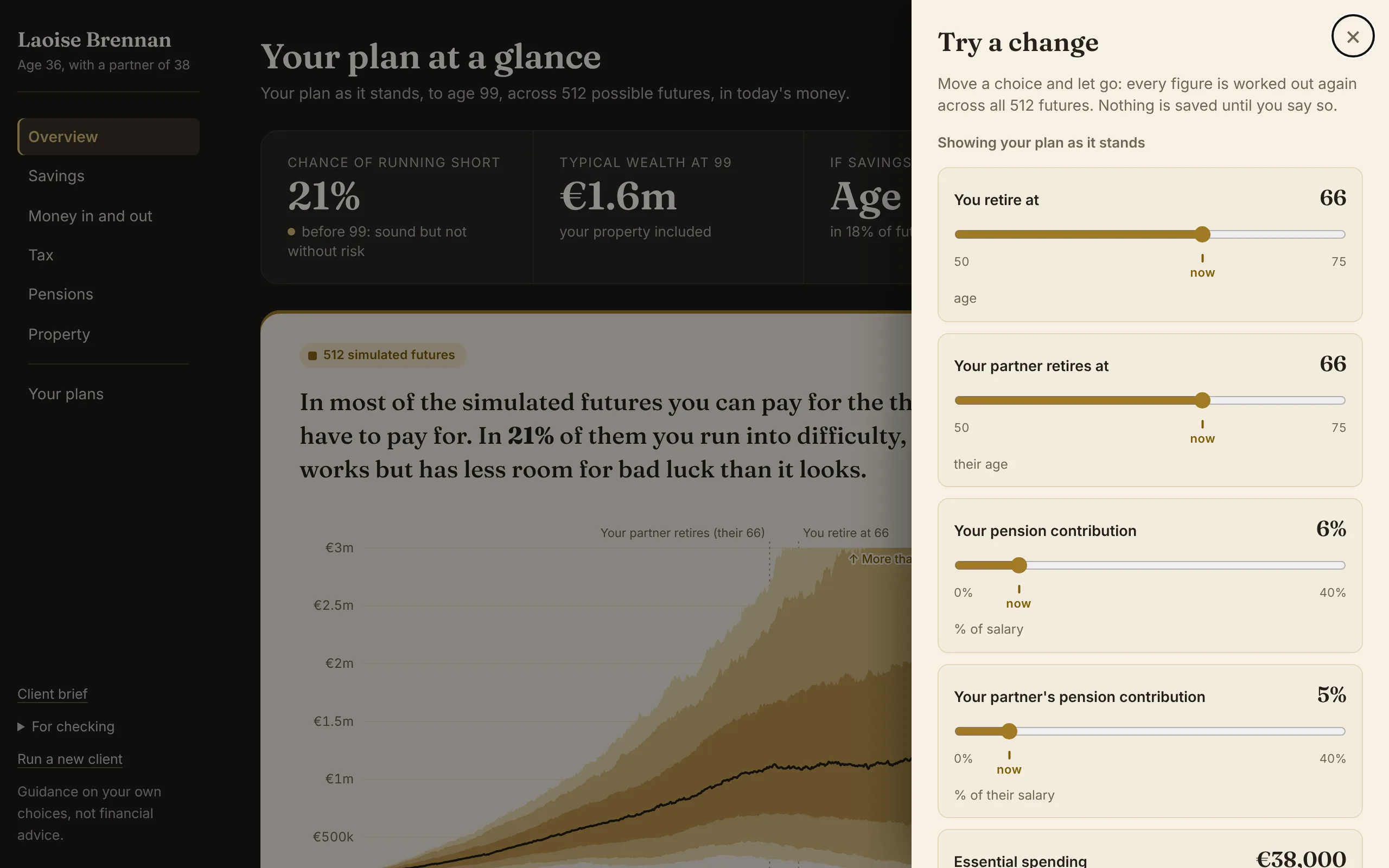
Retire later, pay more into the pension, sell a let, spend less: move it, and every page shows the change against the plan as it stands.

  • Nothing is saved until you say so
  • Keep a change to compare it with the plan side by side
The Try a change panel beside a couple's plan: sliders for each retirement age and each pension contribution.

A client brief with your firm's name on it

The plan in plain words on a few pages, with your firm's logo and name, to print or save as a PDF for the client.

  • The answer first, then the plan as understood, so a mistake can be spotted
  • What moves the answer, and what was assumed
The first page of a client brief with the firm's logo and name at the top.

A verification pack the compliance file can keep

One simulated life worked month by month, every figure traceable to the law. See an example pack.

Your client's data never leaves your laptop

Nothing to host, no data processing agreement to sign, nothing for your compliance consultant to review. The program runs on your own computer and opens in your browser at an address only that computer can reach; it sends nothing anywhere.

Price

€99 a seat a month

or €1,000 a year. The first 30 days are free, no account.

  • Every feature from the first day of the trial
  • Windows and Mac, installed on your own computer
  • An update within two weeks of each Finance Act
  • A firm plan from five seats: ask at

Questions

What exactly does it model?

Income tax, USC and PRSI the way a payroll works them; CGT, CAT, DIRT and exit tax; pensions from contribution to draw; the State Pension and benefits; property and mortgages; couples and either death; and 512 futures of markets. What it models goes through each area, with the dashboard pages that show it.

Is it financial advice?

No. It is a modelling tool for regulated advisers: it shows what the client's own choices do and recommends no product. The advice remains yours.

Where does my client's data go?

Nowhere. The program runs on your computer and opens in your browser at an address only that computer can reach. Client files are saved where you choose, and can be locked with a passphrase.

What happens after each Budget?

An update follows each Finance Act within two weeks of its signing, with the Act's figures.

How long does a projection take?

It depends on the computer, so run it before the meeting. A change tried in the meeting is worked out on its own, in seconds.

How do I check a figure?

The verification pack follows one simulated life month by month and works every tax in it from the law, with a data file for a spreadsheet.

Which computers does it run on?

Windows 10 or 11, and a Mac with Apple silicon or Intel. It carries everything it needs; the install guide takes you through it.

What happens after the 30 days?

The program shows your computer's licence ID. Email it to us and paste the licence that comes back; the program checks it on your computer and sends nothing.

How to start

  1. Try the demo on example clients, with their brief and pack.
  2. Download the 30-day trial; the install guide takes you through it.
  3. Run one real client before your next review meeting.

A modelling tool for regulated advisers. It recommends no product; the advice remains yours.